Lookouts: Baylo keeps an eye on things so you don't have to
Lookouts watch a web page for you and pings you when something you care about changes: back in stock, a price drop, a delayed train or a delayed flight.
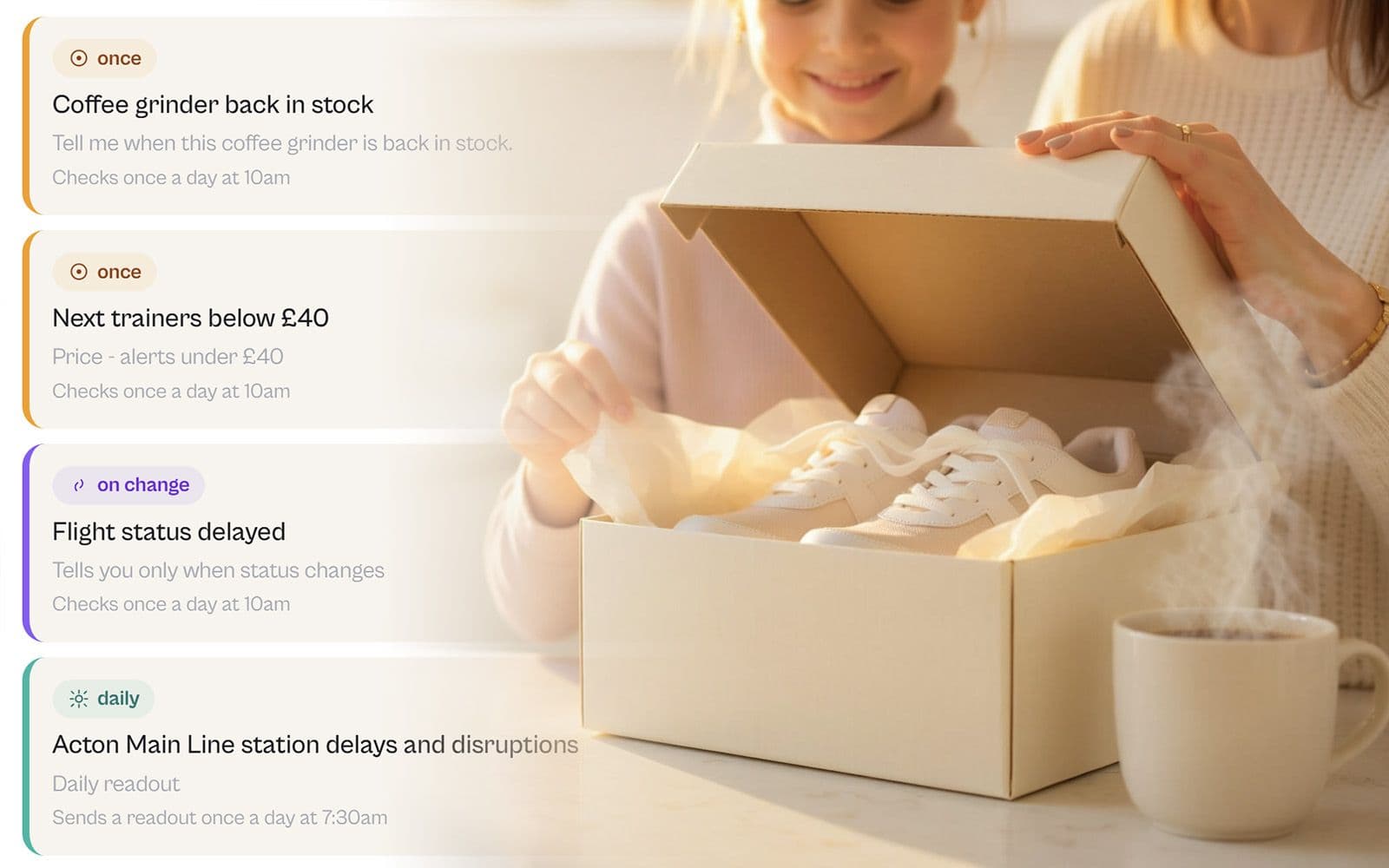
Some jobs don't fit neatly into a reminder, because you don't know when they'll happen.
The coffee grinder you want is out of stock, and you have no idea when it'll come back. Those trainers are a tenner too expensive, and you're not paying full price out of principle. The Central Line might be a mess tomorrow morning, or it might be perfectly fine. Your flight might leave on time, or it might not.
You can't set a reminder for something you can't predict. So instead you check. You refresh the page on the bus, you check again at lunch, you check before bed. It's a small thing, but it sits in the back of your mind and quietly takes up space.
That is exactly the kind of job Baylo should carry for you. So today we're introducing Lookouts. Now Baylo can send you a back-in-stock alert, a price drop notification, or a heads-up when any page changes.
Get a back-in-stock or price drop alert
You give Baylo a link and tell it, in plain English, what you're waiting for. Baylo watches that page for you and messages you on WhatsApp, or in the app. So you get a WhatsApp the moment your item is back in stock, the price drops to your target, or your morning train is running late. No more refreshing, no more checking "just in case". You get on with your day and Baylo taps you on the shoulder when there's something worth knowing.
Three kinds of Lookout
Not everything needs watching in the same way, so Lookout comes in three flavours.
Once. Baylo watches until the thing happens, tells you, and then stops. Perfect for "let me know when this is back in stock" or "tell me when this drops below £40". One ping, you act, done.
Daily. Baylo checks at the same time every day and gives you a quick heads up. Ideal for the things you want to know before you walk out the door.
On-change. Baylo keeps watching and pings you every time something moves. Good for things that change more than once, like a flight status that can flip from on time to delayed and back again.
A few things people are already watching
"Tell me when these trainers drop below £40" (Once)
The trainers are nice, the price is not. Tell Baylo the number you're happy to pay, and it watches the page until the price comes down. When it does, you get the ping while there's still time to buy.
("Once" lookout set up in WhatsApp)
"Every morning at 7, tell me if the Elizabeth Line is running well" (Daily)
Before the school run and the commute, you want to know whether your line is behaving. Set a daily Lookout on the Elizabeth Line status page for 7am and Baylo checks it for you every morning, so you find out over breakfast instead of on the platform.
("Daily" lookout page in Baylo app)
"Ping me if my flight is delayed" (On-change)
Flight times move around, sometimes more than once. Point Baylo at the flight status page and it keeps an eye on it, letting you know each time the status changes, so you're never the last to find out you've got an extra hour before boarding.
("On-change" lookout being set up in Baylo app)
How to set one up
It's the same as everything else with Baylo: just send it the link and say what you want, on WhatsApp or in the app. "Watch this and tell me when it's back in stock." "Check this every morning at 7." "Let me know if the price drops below £40." Be clear on what you want to monitor, and Baylo works out the rest, and will ask if it needs anything from you.
We're just getting started
Lookout is the kind of feature that gets better the more we hear about how you're using it. So if there's something you find yourself checking over and over, point Baylo at it, and tell us how it goes. As always, the feedback button is in the app, on desktop in the bottom right corner and on mobile in the settings menu, and it comes straight to us.
By Vitaly from BayloBaylo news
More to read
-1600x1000.jpg&w=3840&q=75)
September 2026 update: Meals, your family meal planner, and a look behind the scenes
Baylo now plans your family's meals: who is eating, what they can't have, the week, the recipes and the shopping list. And behind the scenes: a sharper Baylo, settings you can just ask for, and dark mode. Here is September.
 Vitaly from Baylo5 min read

August 2026 update: Telegram, your family group chat, calendar you can read, and more
Baylo now lives on Telegram, including inside your family group chat. The calendar shows what is actually happening, reminders carry colours that say who is doing what, and Apple calendars flow in. Here is August.
Vitaly from Baylo4 min read
Baylo July 2026 update: smartphone apps, calendar sync and more
Baylo is now a proper app on your phone, it keeps itself in step with your calendar, and you can hand it a PDF instead of typing out the dates yourself. And that is only the beginning. Here is what's new in July.
Vitaly from Baylo3 min read